
Spades For Seniors: Card Game
WildCard GamesCard
4.51.42K Reviews
- Version
- 1.28.0
- Installs
- 100.00K
- Age Rating
- Everyone
Screenshots
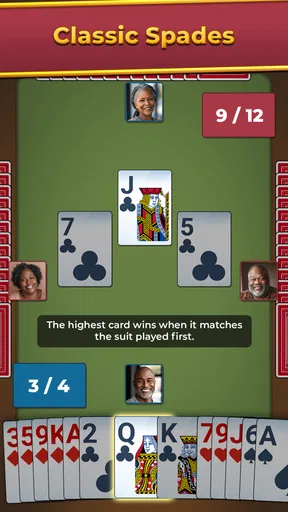
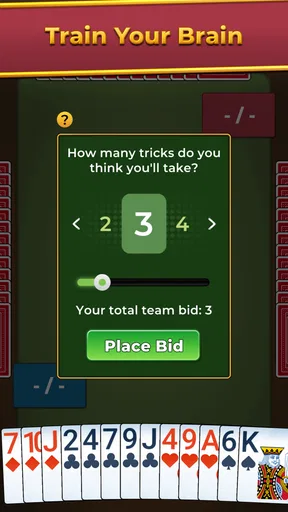
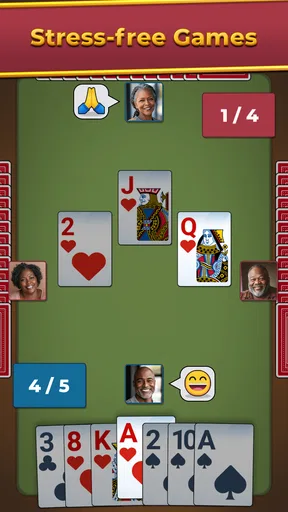
Our Review of Spades For Seniors: Card Game
 Analysis by Appyee
Card games are often easiest to judge after a few quiet sessions rather than one quick round. I spent time with Spades For Seniors: Card Game to see whether it feels comfortable for someone who wants familiar Spades without the pressure of a busy multiplayer environment. My overall impression is that it is a straightforward, free card game from WildCard Games, aimed at players who value readable presentation and a relaxed pace more than a large collection of extra modes.
That focus is important. This is not the kind of game I would choose when I want constant novelty, competitive events, or a social lobby full of strangers. I would choose it for a short break, a calm evening, or for introducing someone to digital Spades without burying the basic rules under menus. It is rated for Everyone, works on Android 8.0 or later, and the current version is 1.28.0, so it is accessible to many older devices as well as newer phones and tablets.
What the game feels like in everyday use
The first thing I noticed is how clearly the app communicates its purpose. The store’s short description is simply “Spades For Seniors,” and that directness matches the experience. You are not asked to learn a complicated collection of systems before playing. The appeal comes from sitting down with a familiar trick-taking card game and letting the round develop one hand at a time.
For a typical session, I would open it while waiting for an appointment, during a coffee break, or after dinner when I wanted something more engaging than scrolling but less demanding than a strategy game. A round gives me a clear stopping point, which is useful on a phone. I can play for a few minutes without feeling that I have abandoned a long campaign or left a team waiting.
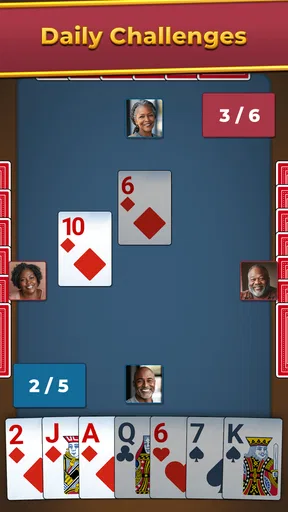
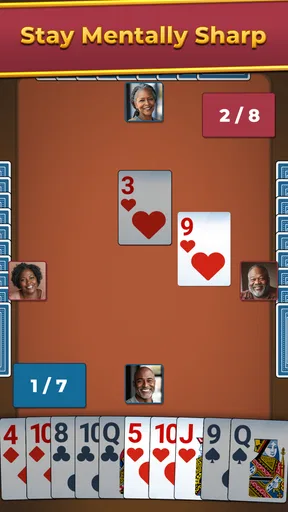
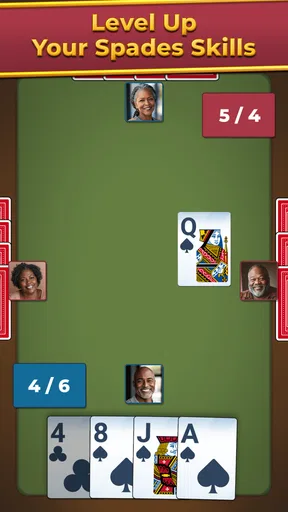
The senior-friendly positioning also makes sense for players who prefer a less frantic interface. Spades depends on recognizing suits, following the order of play, and remembering the bid or objective of the hand. Those decisions are easier to enjoy when the screen is not competing for attention with unnecessary decoration. I found the game most comfortable when I treated it as a deliberate tabletop substitute rather than a fast arcade challenge.
That does not mean every player will find it effortless. Digital card games still depend on the phone’s display, touch response, and the player’s ability to distinguish cards at a glance. Someone with a small screen may need to hold the device closer or play more slowly. A tablet can be a better fit for shared play or for anyone who finds a compact phone layout tiring.
Where players are most likely to get stuck
The first point of friction is usually not the card rules themselves but the transition from physical cards to touch controls. With a real deck, I can spread cards across a table and scan them all at once. On a phone, I have to read the hand within the available space and select the intended card accurately. If a tap does not seem to work, my first reaction is to slow down and make sure I am touching the card face rather than the edge of another card or an empty area.
Another common stumbling block is expecting the app to behave like a general-purpose Spades platform. Players who normally use a social card service may look for chat, private rooms, tournaments, or a large choice of rule variations. This game is better approached as a focused card-playing experience. If those community features are central to your enjoyment, the simpler design may feel limited rather than refreshing.
It can also take a moment to understand the rhythm of a digital hand. In physical Spades, players naturally announce bids and play cards in a visible circle. On a screen, the game presents that flow through its interface, and new users may pause to work out whose turn it is or what action is expected next. I recommend playing the opening hand patiently instead of tapping repeatedly. Once the sequence becomes familiar, the game feels much more natural.
My most useful adjustment was to treat every screen as a prompt to observe before acting. I checked the current hand, identified the legal card choices, and only then tapped. That small habit prevented accidental plays and made the game feel more like thoughtful Spades than a test of touchscreen speed.
Setup checks before blaming the game
Because this is a mobile game, a smooth start depends partly on the device. Before judging the experience, I would confirm that the phone or tablet runs Android 8.0 or newer. If the app cannot install or immediately closes, checking the operating system is a sensible first step. It is also worth making sure there is enough free storage for an installation and that the device is not struggling with many other apps open at once.
I would also check the display settings. Very large system text or unusual zoom settings can change how much of the game fits on screen. That may be helpful for reading, but it can also make card areas feel crowded. If the layout looks awkward, temporarily returning the device to its normal display size can clarify whether the issue is the game or the phone’s accessibility configuration.
Touch response matters more than people expect in a card game. A thick screen protector, damp fingers, or a dirty display can make a perfectly good card interface seem unreliable. I found it sensible to clean the screen, remove anything obstructing the touch surface, and test a few taps elsewhere on the device. If other apps also miss touches, the problem is probably not specific to this game.
Sound is another simple check. If you expect audible feedback and hear nothing, I would first inspect the phone’s media volume and silent settings rather than assume the game is broken. Some players prefer to play without sound anyway, especially in a waiting room or beside someone watching television, so I consider this more of a comfort adjustment than a major weakness.
For older users, the best setup may be physical rather than technical. I would place the phone on a stable surface, increase general screen brightness without making it uncomfortable, and use landscape or portrait orientation according to which gives the cards the clearest separation. The right position can make more difference than changing between several card games.
Recovering when a hand does not go as expected
When a round feels confusing, my first recovery step is to stop tapping and reconstruct the situation. I look at the cards already played, check whose turn it appears to be, and consider whether the selected card actually registered. Repeated taps can create more confusion, especially if the interface is taking a moment to respond.
If the screen appears frozen, I would wait briefly, then leave the game and reopen it using the normal device controls. I would avoid immediately deleting the app or changing several settings at once. A simple restart can separate a temporary app hiccup from a persistent installation or device problem. If the same issue returns, restarting the phone is a reasonable next general step.
Players should also remember that an unexpected result is not automatically a technical error. Spades can punish a bid that looked safe, and a hand can turn quickly when high cards are played. Before restarting, I would review whether the outcome follows the rules of the round. That is one reason I like taking a moment after each trick: it helps distinguish a surprising game decision from a missed tap.
If progress or a session does not appear exactly as expected after reopening, I would avoid assuming that every action has been saved. The safest habit is to finish a natural pause point before closing the app and to keep the game updated through the normal app store process. Since the current release is 1.28.0, using that version or a later available update is sensible when troubleshooting an older installation.
There is also a practical recovery method for new players: start another hand rather than trying to force the first confusing hand to make sense. A fresh round lets you watch the turn order from the beginning, pay attention to the bidding flow, and learn the touch pattern without the pressure of salvaging a mistake. This is especially useful when helping a parent or grandparent learn the game remotely.
When the app is not the cause
Not every frustrating session points to WildCard Games. A weak or interrupted connection can affect any app that needs to load or refresh content, while an overloaded device can make taps and screen changes feel delayed. I would test another app, check whether the phone is unusually warm, and close background software before deciding that the card game itself is at fault.
Storage pressure can create strange behavior too. A phone that is nearly full may install updates poorly or become sluggish during ordinary use. Freeing a little space and restarting the device is a more measured response than repeatedly reinstalling the game. Reinstallation should be treated as a later step because it can remove local session information, depending on how the device handles the app.
Accessibility settings deserve special attention. Magnification, display scaling, touch-and-hold timing, and screen readers can all change how a card interface feels. These tools are valuable, and I would not recommend turning them off blindly. Instead, adjust one setting at a time and test a complete hand. The goal is not to make the phone behave like someone else’s phone; it is to find a setup that makes card selection comfortable and dependable.
Device age can matter even when the operating system meets the minimum requirement. Android 8.0 compatibility means an older phone may run the game, but it does not guarantee the same responsiveness as a newer device. If the app opens normally but animations or transitions feel slow, reducing other activity on the phone may help. If every app feels slow, replacing the device or clearing broader system clutter may be more effective than searching for a game-specific fix.
Finally, expectations can be the real source of disappointment. A player seeking live opponents, conversation, or a deep competitive ladder may feel that a calm, focused Spades game lacks energy. That is not necessarily a flaw in execution; it is a mismatch between the product’s purpose and the player’s preferred style. I would compare it with a fuller multiplayer card platform before choosing, especially if social interaction is the main reason I play.
How it compares with familiar alternatives
Compared with a physical deck, this game removes setup, shuffling, keeping track of a score sheet, and finding a partner at the same table. That convenience is its strongest everyday advantage. I can play alone with a phone in hand, and the app handles the mechanical parts that can slow down a casual session. The trade-off is that digital cards do not offer the same shared-table feeling or the flexibility of inventing house rules with friends.
Compared with broad card-game collections, the focused design is easier to approach but less varied. A collection app may offer Solitaire, Hearts, Klondike, and several other diversions in one download. That is useful for someone who changes games frequently. Here, the narrower identity is better for a person who specifically wants Spades and does not want to navigate a large catalog every time.
Compared with online multiplayer services, the appeal is calmness and simplicity rather than social competition. A multiplayer alternative is the better choice if I want to challenge known friends, communicate during a match, or measure myself against a large player community. This game suits me more when I want a private, low-pressure session and do not want another account-based activity demanding attention.
The free price makes it easy to try without committing money, which is particularly helpful when recommending it to someone who is unsure about digital card games. Its audience is also broad enough for family use because the content rating is Everyone. Still, “free” does not automatically mean it will satisfy every experienced Spades player. A serious player may care more about rule customization, advanced statistics, or competitive matchmaking than about an uncomplicated presentation.
Who will get the most from it
I would recommend this game to an older player who already knows the basics of Spades and wants a convenient solo card session. It is also a good starting point for someone moving from physical cards to a phone, provided a family member is available to explain the first few turns. The clear focus prevents the learning process from becoming a tour of unrelated features.
It works well for short, repeatable routines. For example, I can imagine playing a hand while waiting for a prescription, then closing the app when my name is called. At home, I might play a few rounds after lunch and stop without losing an entire afternoon. That natural start-and-stop rhythm is more useful to me than a game that tries to keep me engaged indefinitely.
I would skip it if my priority is a lively online community, extensive customization, or a broad selection of card formats. I would also look elsewhere if I find phone-based card layouts tiring even after adjusting the device position and display. In that case, a tablet, a physical deck, or a multiplayer service with a more suitable interface may be a better investment of time.
Practical verdict after living with the routine
WildCard Games has kept this card game focused on the simple pleasure of playing Spades without making the experience feel like a complicated hobby platform. Its average rating is 4.5 from around 4.9 thousand ratings, and it has passed 100 thousand installs, which suggests that the straightforward approach has found a receptive audience. Those figures are useful context, but my recommendation rests more on how well the app fits a particular kind of player.
I like it most as a quiet, accessible alternative to a physical deck: quick to open, easy to return to, and suitable for players who do not want a crowded interface. The main limitations are equally clear. A small screen can make card selection less comfortable, troubleshooting may begin with device checks rather than game settings, and players wanting social or competitive depth may outgrow the focused format.
My advice is to install it with modest expectations, check the device setup before playing seriously, and give yourself a complete hand to learn the rhythm. If you want relaxed Spades on Android 8.0 or later and value a simple routine over a large feature list, I think it is worth trying. If what you really want is live conversation, tournaments, or many different card games in one place, I would choose a more specialized alternative instead.
For me, the deciding strength is the low-pressure way it turns a familiar card game into an easy everyday break. It does not need to be everything to everyone. As a free card game for seniors and other players who prefer a direct Spades experience, it earns a favorable recommendation, provided its calm, narrow focus matches what you came looking for.
Verdict
Strengths of Spades For Seniors: Card Game
- Large cards and clear layouts improve readability for older players.
- Simple controls make bidding and card selection easy to learn.
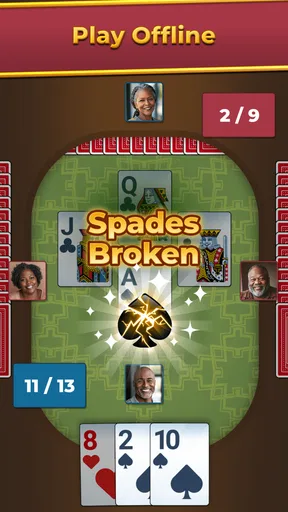
- Playable offline, making it useful without an internet connection.
- Adjustable difficulty offers a comfortable challenge for different skill levels.
- Relaxed gameplay supports short sessions without demanding fast reactions.
Limitations of Spades For Seniors: Card Game
- Ads may interrupt play or require payment for a smoother experience.
- Limited customization may disappoint players wanting more table themes.
- Computer opponents can feel predictable after extended play.
- Some features may be restricted behind in-app purchases.
- The game may use noticeable battery during longer sessions.
Other Releases by WildCard Games
View All


Similar Picks in This Category
View All
Solitaire - Classic Card Games
MobilityWare4.6

UNO!™
Mattel163 Limited4.3

Spider Solitaire: Card Games
MobilityWare4.6

Solitaire.com - Classic Cards
Tripledot Studios Limited4.7

Plants vs. Zombies™ Heroes
ELECTRONIC ARTS4.1

Hearthstone
Blizzard Entertainment, Inc.4.1
Frequently Asked Questions
What is Spades For Seniors: Card Game?
Spades For Seniors: Card Game is a digital version of the classic trick-taking card game, designed with older players in mind. It generally focuses on clear card displays, simple controls, readable menus, and relaxed gameplay. Players compete with computer-controlled partners and opponents, following standard Spades rules while trying to accurately predict and win the number of tricks required by each bid.
Is Spades For Seniors suitable for beginners?
Yes, the game is intended to be approachable for players who are new to digital card games or have not played Spades recently. The senior-friendly presentation can make cards and game options easier to understand, while the turn-based format gives you time to consider each move. Beginners should still review the bidding and scoring rules, since Spades has specific mechanics that may differ from other trick-taking games.
Can I play Spades For Seniors offline?
Availability of offline play may depend on the version and device, so it is worth checking the app’s store description before downloading. If offline gameplay is supported, you can usually enjoy matches against computer opponents without an internet connection, which is useful while traveling or in areas with limited service. Online features, advertisements, updates, or purchases may still require connectivity.
Does the game include adjustable difficulty or accessibility options?
Many senior-focused card games provide features such as larger cards, straightforward navigation, sound controls, or selectable difficulty levels, but the exact options can vary by release. Before installing, check the current screenshots and feature list for details. Players who need extra readability should pay particular attention to text size, card contrast, color choices, and whether visual or audio settings can be customized.
Is Spades For Seniors: Card Game free to download?
The game may be free to install, but the store listing should be checked for advertisements, optional in-app purchases, or premium features. A free download does not always mean that every function is available without payment. Reviewing the pricing section, privacy information, and permissions before installation can help you understand the overall experience and avoid surprises, especially if the device is shared with family members.
Play our best games!


